 1:01:44
Visual Studio Code tips and tricks | BOD103
From the creator
Visual Studio Code is a free editor that runs on Windows, macOS, and Linux. We show how you can supercharge your workflow with some of our favorite editor customizations, time-saving extensions, debugging tips, and even how to do remote development in remote VMs, Docker containers, and the Windows Subsystem for Linux. Microsoft Learn -- https://docs.microsoft.com/learn/?WT.mc_id=Build2020_presentation_additionalresources Microsoft Docs -- https://docs.microsoft.com/?WT.mc_id=Build2020_presentation_additionalresources Channel 9 -- https://channel9.msdn.com/?WT.mc_id=Build2020_presentation_additionalresources Related Sessions INT167B -- https://mybuild.microsoft.com/sessions/INT167B?wt.mc_id=yt_PLlrxD0HtieHhlbuh4wiUVHGeVw8vY4Rco INT167C -- https://mybuild.microsoft.com/sessions/INT167C?wt.mc_id=yt_PLlrxD0HtieHhlbuh4wiUVHGeVw8vY4Rco INT167A -- https://mybuild.microsoft.com/sessions/INT167A?wt.mc_id=yt_PLlrxD0HtieHhlbuh4wiUVHGeVw8vY4Rco Microsoft Build 2020
Published 2020-05-25 · Watch on YouTube ↗
Availability and playback restrictions are controlled by the original channel.
Keep exploring Learn to Code
1:01:44 1:03:17
Learn to Code
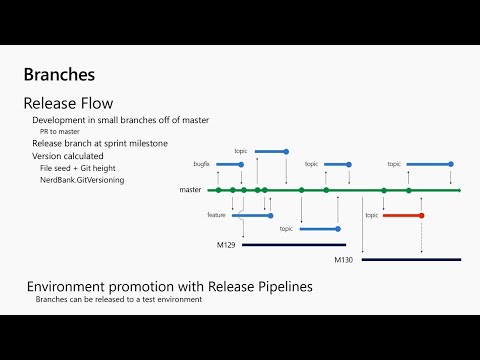
Adaptive Cards vNext – Powering the next generation of contextual user experiences - BRK3070
Microsoft Developer
 1:02:20
 55:23
Learn to Code
Infrastructure as Code (or Continuous Delivery Infrastructure) - BRK3030
Microsoft Developer
 15:11
 16:02
Learn to Code
Powering .NET development on the Mac with Visual Studio 2019 - BDL2021
Microsoft Developer
 50:18
Learn to Code
There is strength in numbers – of resilient application patterns in Azure - BRK2019
Microsoft Developer